Redesigning Google's Editor platform — heuristic-driven reskin to reduce cognitive load and align with M2
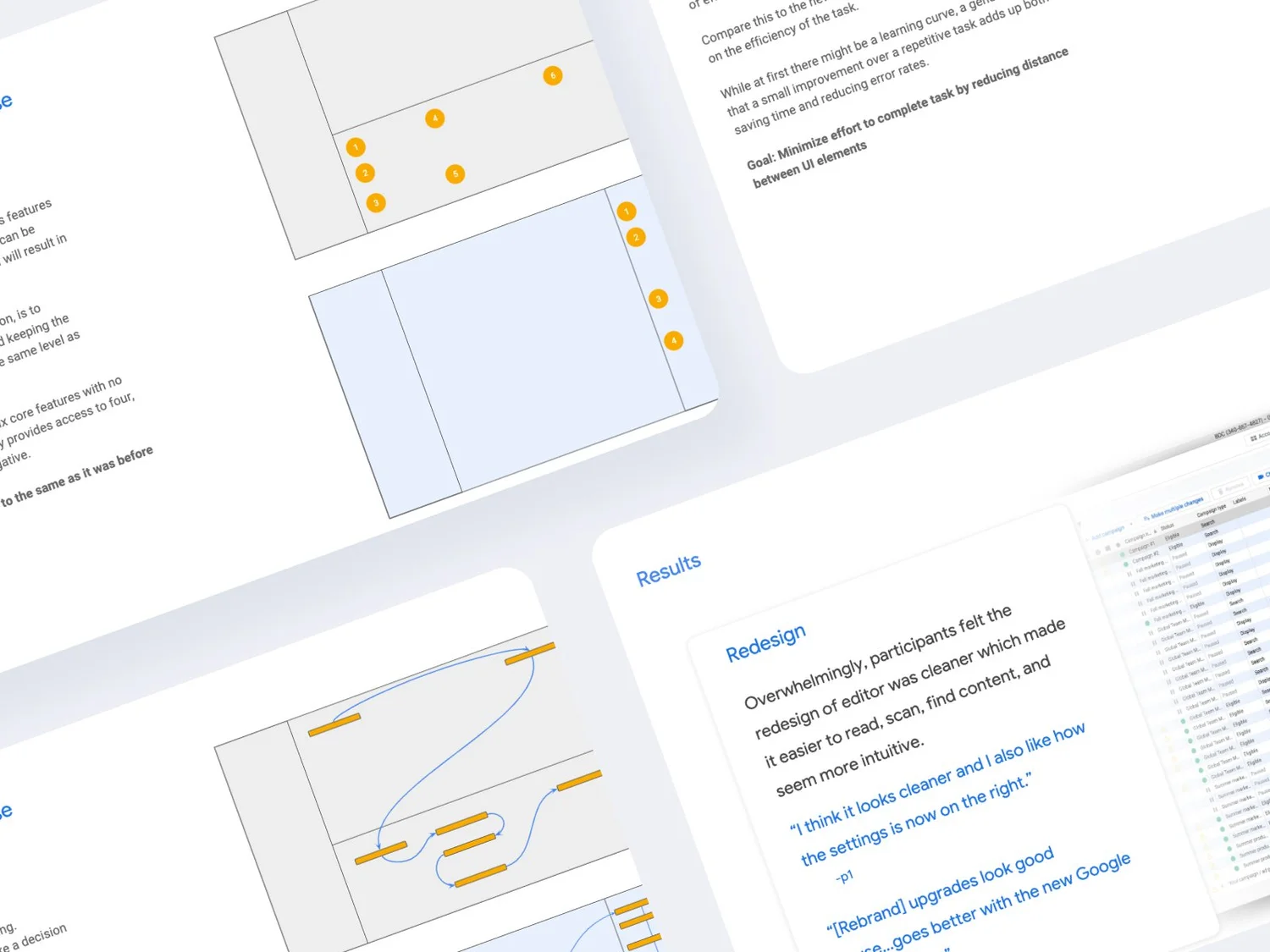
The Editor platform had accumulated usability debt — high cognitive load from complex mouse flows, visual inconsistency with the M2 design system, and friction that slowed experienced power users down. Stakeholders felt the platform no longer reflected their product standards.
- Heuristic analysis to surface critical and major usability issues
- Client workshops to validate priorities and gather qualitative context
- M2 design system audit to identify alignment gaps
- Usability testing to validate redesign decisions before handoff
Reskinned interface aligned to M2, reduced mouse flows and mental effort, and higher stakeholder satisfaction. The redesign improved visual coherence across the platform while preserving existing mental models for power users.
The Editor tool had grown organically over time, accumulating UI inconsistencies and interaction patterns that no longer aligned with Google's M2 design system. The platform needed a systematic reskin and optimization that maintained power-user workflows while modernizing aesthetics and improving usability.
Identify and address the most critical usability issues through a structured heuristic analysis, align the interface with M2 design system rules, and validate changes with real users before implementation. Reduce cognitive working load without disrupting established power-user muscle memory.
Design system compliance: All changes must conform to M2 component and token specifications.
Power user preservation: Experienced users had deeply ingrained workflows — disrupting efficient patterns would create regression even if the change tested well with newcomers.
Phased scope: The redesign was scoped to the editor platform itself; adjacent tools and integrations were explicitly deferred to future roadmap phases.
Lead UX Designer and Researcher. Responsible for conducting the full heuristic evaluation, facilitating client workshops, designing the reskinned interface, and running usability testing sessions. Collaborated with engineering and product stakeholders throughout.
Maximizing efficiency and ease of use.
Applied Nielsen's 10 usability heuristics as the primary evaluation framework, supplemented by platform-specific efficiency principles. Each issue was rated on severity (critical / major / minor) based on frequency of encounter and impact on task completion.
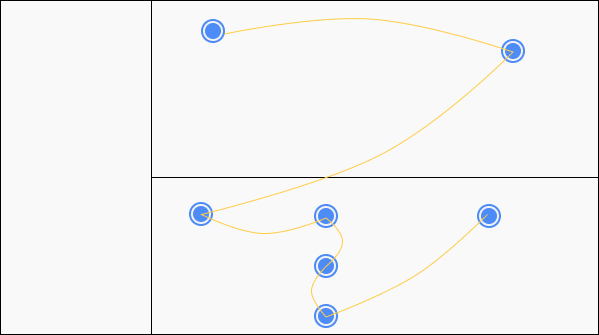
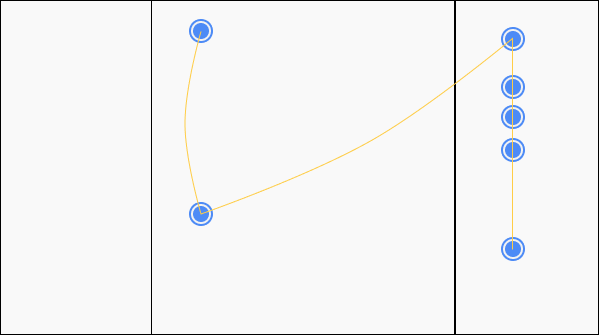
Client workshops to validate and prioritize.
Expert Analysis
Systematic walkthrough of the Editor using Nielsen's 10 heuristics. Catalogued issues by severity (critical / major / minor), yielding a prioritized backlog before any user sessions were run.
Stakeholder Alignment
Facilitated structured workshops with product owners and power users to validate heuristic findings, surface undocumented pain points, and align on design direction before committing to solutions.
Design System Compliance
Component-by-component audit mapping every UI element to M2 specifications — identifying which could be token-swapped, which needed rebuilding, and which legacy patterns needed explicit deprecation.
Workshop participants consistently flagged the same three pain points that the heuristic analysis had rated as critical — validating the evaluation methodology and building stakeholder confidence in the redesign direction before a single pixel changed.
Validate redesign decisions with real users.
Moderated usability sessions comparing the existing Editor against redesigned prototypes. Tasks were selected to cover both high-frequency daily workflows and the specific scenarios where the heuristic analysis had identified critical issues. Sessions were recorded and analyzed for task success, time-on-task, and error frequency.
Participants recruited to represent the actual Editor user base: a mix of power users (daily, high-volume usage) and occasional users (weekly or project-based usage). Both cohorts needed to be represented since the redesign had to serve expert efficiency without creating a steeper learning curve for less-frequent users.
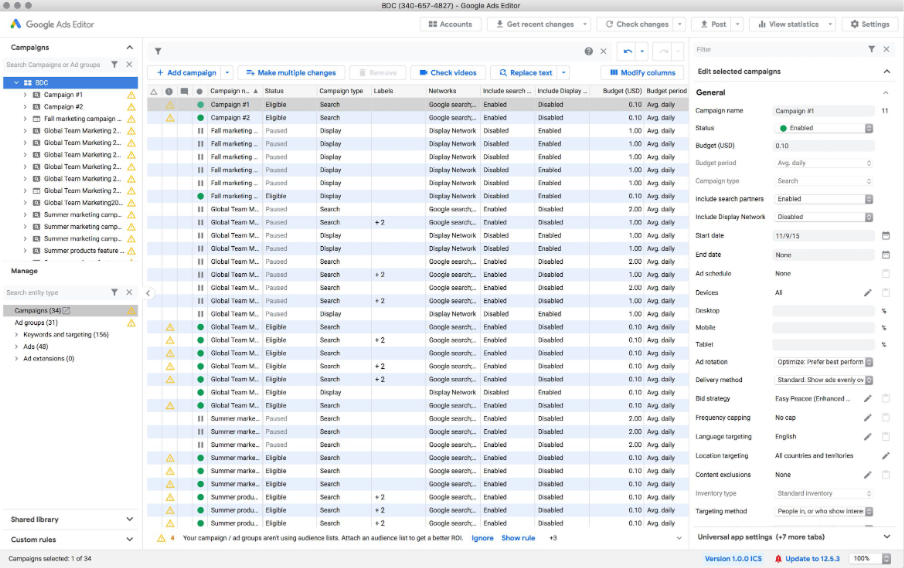
Daily Editor users with 12+ months platform experience. Primary concern: preserving efficient mouse flows and keyboard access.
Weekly or project-based users who rely more heavily on UI affordances and recognition over recall.
Product owners and team leads who participated in workshops and reviewed prototype walkthroughs to validate strategic direction.
Does the reskin disrupt established power-user workflows?
Can users who rely on specific interaction patterns complete their high-frequency tasks at the same speed or faster after the redesign? Are there any regression cases where M2 compliance created new friction?
Do critical heuristic fixes measurably reduce errors and recovery time?
Are users who encounter state-visibility issues, modal traps, or accidental destructive actions able to recover faster in the redesigned interface? Does the fix translate to fewer support-escalation scenarios?
Does the M2-aligned visual language improve perceived clarity and trust?
Do users report higher confidence in the platform's reliability and quality after the reskin? Does visual consistency reduce cognitive overhead when navigating between modules?
Are newly surfaced actions discoverable without instructions?
Can occasional users find promoted toolbar actions and keyboard shortcut affordances without prior guidance? Does recognition improve over the existing context-menu-buried interaction model?
Efficiency gains validated. Stakeholder alignment achieved.
Heuristic Issues Addressed
All critical-severity heuristic findings were resolved in the redesign. Major issues were addressed in the primary release; minor issues scoped to a follow-on phase. The structured evaluation provided a clear, defensible rationale for every design decision.
Design System Alignment
Complete M2 component and token audit completed. Legacy component instances replaced with compliant equivalents, establishing a reusable baseline for future Editor feature work that no longer requires individual M2 re-evaluation.
Power User Retention
Testing confirmed zero regression for high-frequency power-user tasks. The keyboard shortcut layer and toolbar restructuring actually improved task completion speed for experienced users compared to the baseline.
Stakeholder Confidence
The workshop-validated research process gave stakeholders confidence in the redesign direction before prototypes were finalized. Post-launch feedback confirmed that the updated platform better aligned with their product vision and quality standards.